
Nodus Draw

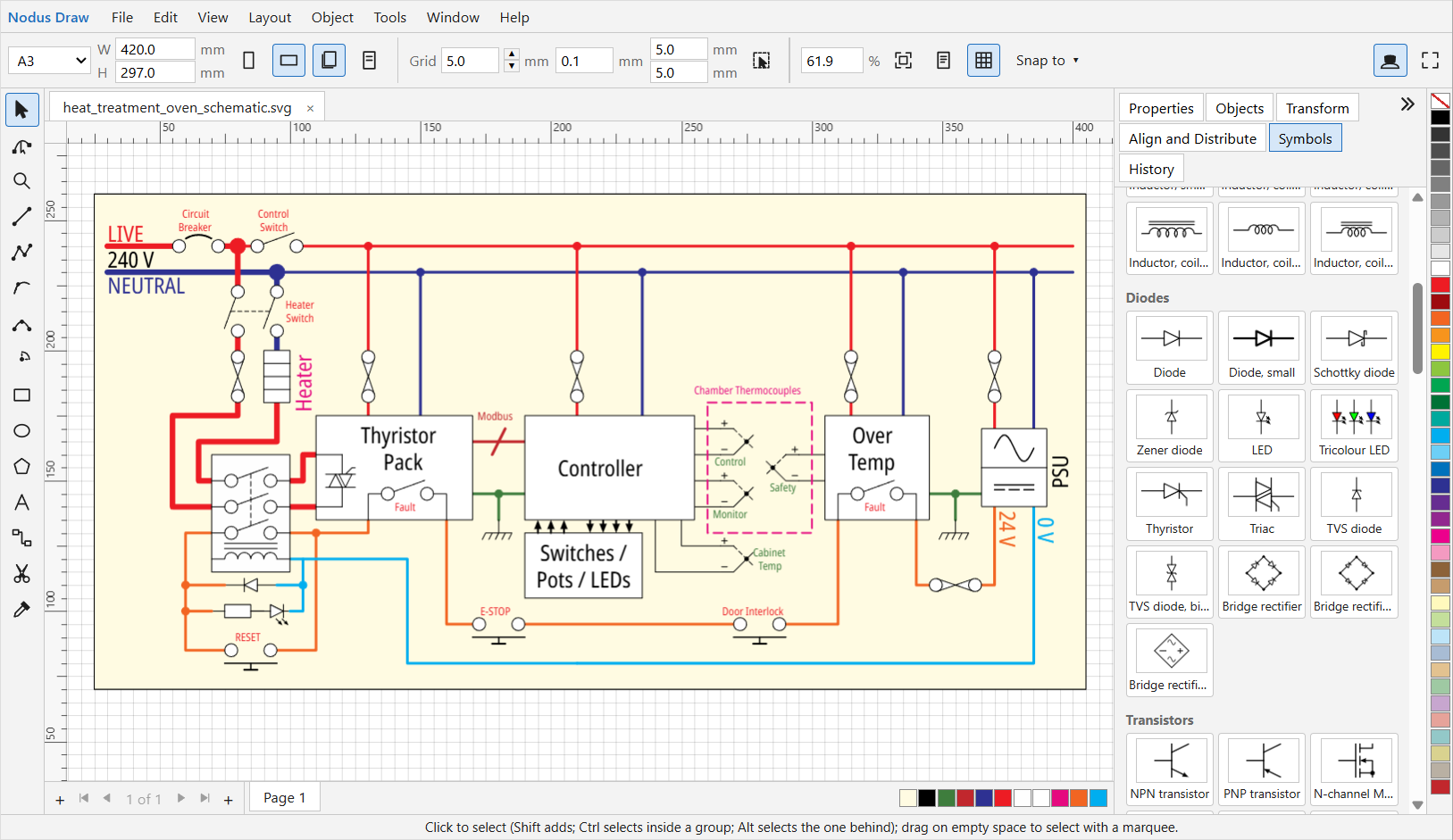
A vector technical illustration application that runs in your browser. Nodus Draw is intended for technical drawings: schematics, diagrams, block diagrams, flow charts and the like. The user interface is loosely based on how CorelDRAW's one works, with the same tools and dockers and mostly the same keyboard shortcuts. Unlike CorelDRAW it isn't intended for artistic illustration and it prioritises the tools used for technical disciplines. See Example Drawings for the type of work it's designed to do.
Your files stay on your computer. There is nothing to install†, no account and no upload: drawings are opened from and saved to your own disk so you can work safely on confidential drawings, and the application runs entirely in the browser.
† (but you can install it if you want to).
Start Nodus Draw by visiting https://nodus.cgtk.co.uk
The documentation explains how to use it.
What it does
Drawing and editing
- Rectangles, ellipses/circles, polygons, lines, polylines, Bézier curves, arcs and text.
- Snapping: to grid, to nodes, to midpoints, to intersections, meeting another line perpendicularly, meeting a circle tangentially etc. Tangent tool for starting a line tangent to a circle or circular arc.
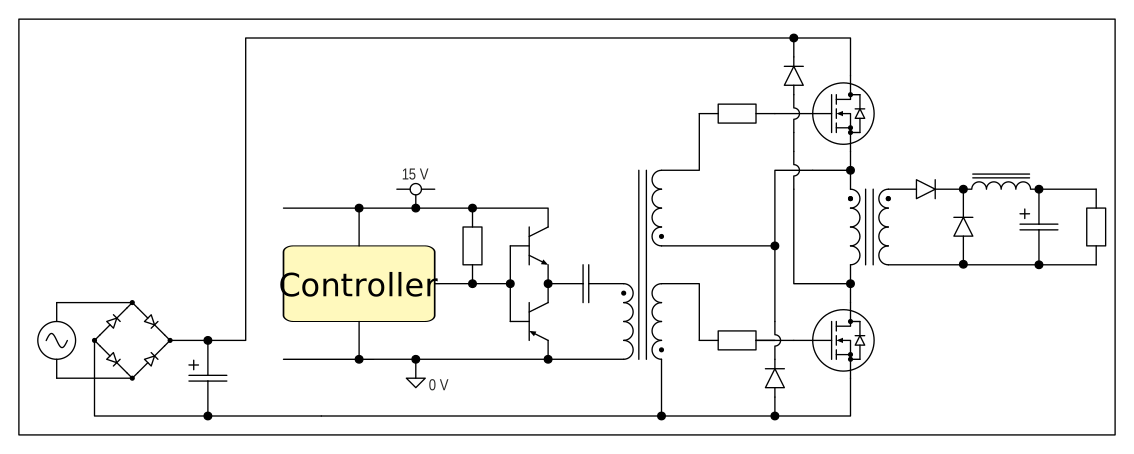
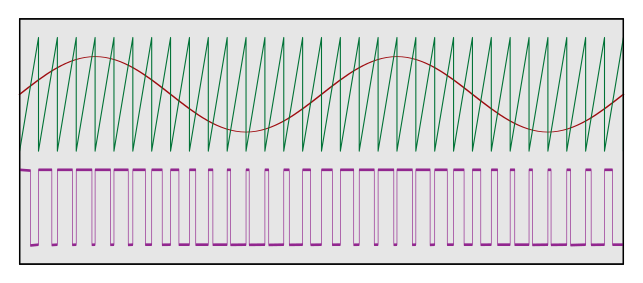
- Dedicated sine wave tool (see the sinusoidal PWM example below).
- Smart duplicate: select an object, press Ctrl-D to duplicate, drag the new object to where you want it to go. Subsequent Ctrl-D presses repeat that position change, so you can draw a sine wave, duplicate it, drag the start of the new one onto the end of the original one and press Ctrl-D repeatedly to get a long sine wave. Ctrl-L, Shift-J then turns it into a single path.
- Node editing: move, add and delete nodes, change them between cusp, smooth and symmetrical, straighten or curve segments, join and break paths, and reduce nodes. Auto-join overlapping nodes with a single click.
- Smart trim tool to cut lines where they cross other paths.
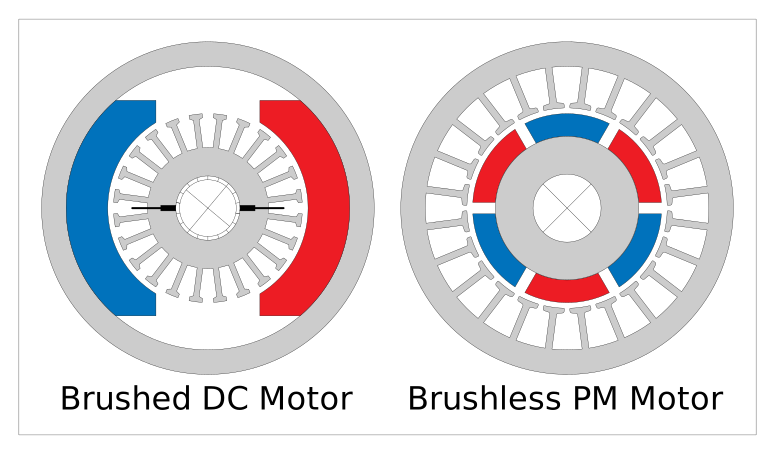
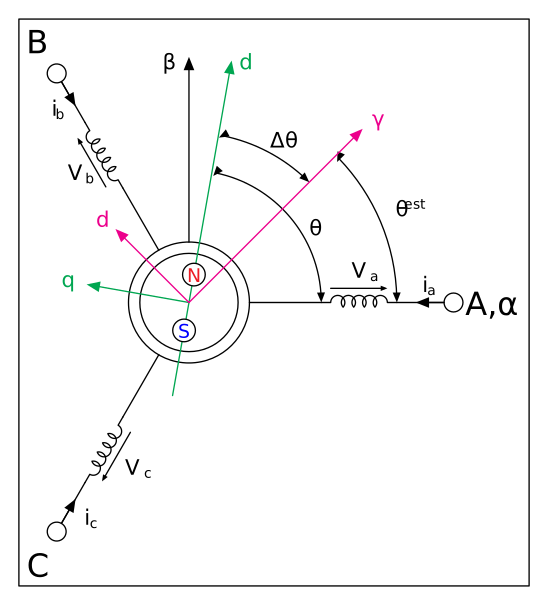
- Precise sizes and positions in millimetres on the property bar and in the Transform docker; align and distribute; snapping to the grid, guidelines, objects and the page. Circular patterns (see the motor drawing example below) with the Transform docker.
- Outlines with widths, dash patterns, line caps and joins, and arrowheads; solid fills from the palette or the colour picker. A document colour palette at the bottom so you can get exactly the same colour again.
- Text: artistic text and paragraph text in frames, and text inside shapes (for flow-charts etc).
- Dimensions and centrelines that stay attached to objects and adjust when the objects are resized.
- Pages, layers and groups, with an Objects docker showing every object.
- Tangent line tool and tangent snaps (for any line).
Diagrams
- Connectors that stay attached as objects move: straight or right-angle, with rounded corners if you want them, attached to objects' anchor points (add your own anchors, such as a symbol's terminals). Tweak the connectors path with the Shape (node-edit) tool to make your diagram look perfect.
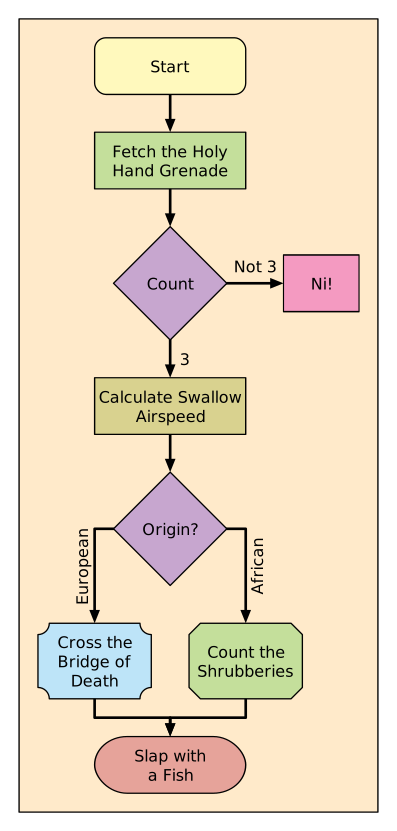
- Flowcharts laid out automatically. Drag flowchart symbols from the included library, join them with connectors and use Tools › Auto-Layout to arrange everything for you.
- Symbol libraries: a library of electronic components (passives, discrete semiconductors, logic gates, sources, switches, transformers and more) and a library of flowchart symbols are included. Make your own libraries to suit your own work. Drag a symbol onto the page, or save part of a drawing as a new one. Once inserted into the page, symbols can be edited/tweaked just like any other object (e.g. insert one of the 3.3 V supply symbols and use the text tool to turn it into a 5 V supply).
- An import helper that turns a sheet of symbols drawn in another program into a library.
Files
- Several documents open at once, in tabs. Each document can have multiple pages.
- Saves as SVG, which other programs (including CorelDRAW and Inkscape) can open, with the details Nodus needs kept inside it. The browser stores your undo history for each file (for up to 90 days or 50 files, whichever comes first) so you can re-open files and still undo changes.
- Opens SVG, DXF and CorelDRAW (.cdr) drawings, as well as LibreOffice ODGs, Visio files, PDF files, Adobe Illustrator drawings and several text-based diagram files (Mermaid, PlantUML, draw.io, graphml). You can also insert images in many formats including PNG, JPEG and WEBP.
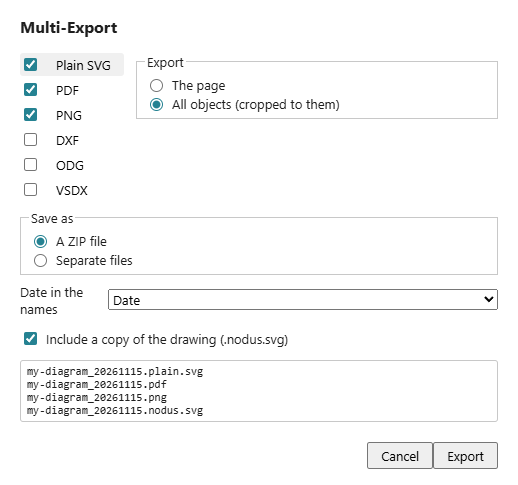
- Exports PNG (at any resolution), plain SVG, PDF (fonts included) and DXF.
- Multi-Export: Export multiple file formats with a single click, with per-format configuration (e.g full page or just the selection, background colour etc), with optional date/time stamps.
- Defaults to exporting into the same folder as the source file (unlike CorelDRAW, which puts it wherever you last exported: something that's always annoyed me!)
Never lose work
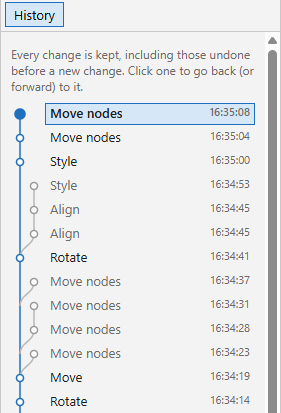
- Every change can be undone, and nothing is ever lost from the undo history: undo a few steps, carry on in a different direction, and the History docker still shows the old branch, ready to go back to.
- Unsaved drawings are kept in the browser as you work. If the tab closes or the computer crashes, Nodus offers them back when it next starts, undo history and all.
And also
- 3Dconnexion SpaceMouse support for panning and zooming (Windows and macOS, with 3Dconnexion's driver).
- Keyboard access throughout, and Help › Keyboard Shortcuts lists every key.
- Preferences (Tools › Options) for units, snapping and the defaults for new documents.
Example Drawings
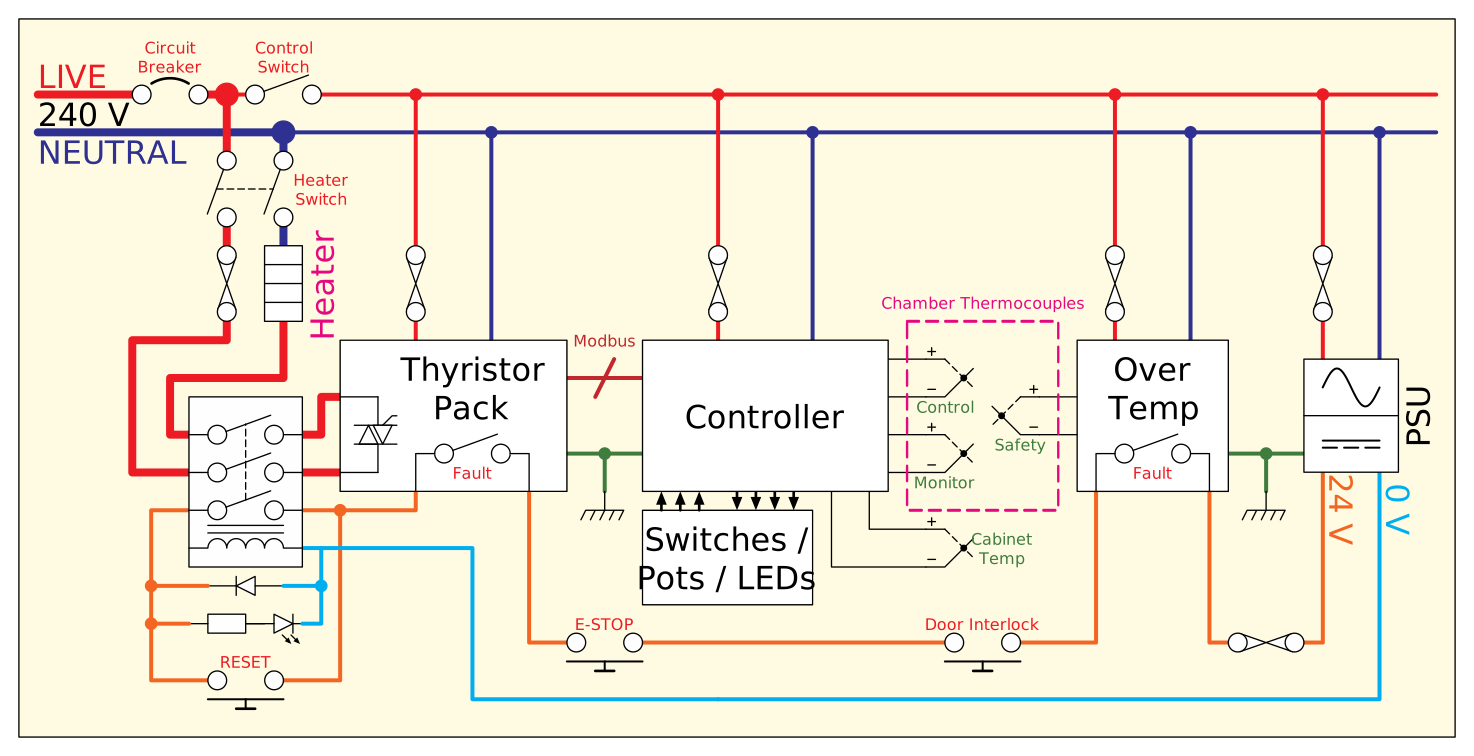
To give an idea of its capabilities and intended use, here are a few diagrams I've drawn using Nodus Draw (click on any of them for a bigger view, or download them to open in Nodus Draw):
Requirements
A current desktop browser. Chrome, Edge, Vivaldi and other Chromium-based browsers are recommended: with them, File › Save writes straight back to the file you opened. Firefox and Safari work too, but saving downloads a new copy of the file each time. With Chrome and Edge you can install it as an application and associate it with files. With some other Chromium-based browsers you can install it as an application but may not be able to associate it with files (e.g. Vivaldi doesn't seem to support this).
Nodus Draw is designed for a mouse (and optionally a 3D mouse) and keyboard on a computer, not for phones or tablets.
Free to use
Nodus Draw is free for any use, including commercial use. It is provided as it is, without warranty of any kind, and its authors accept no liability for any loss or damage arising from its use. Keep copies of important drawings.
It includes open-source components: Help › About and the notices give the details.
This website is free and ad-free, but costs me money to run. If you'd like to support this site, please consider making a small donation or sending me a message to let me know what you liked or found useful.